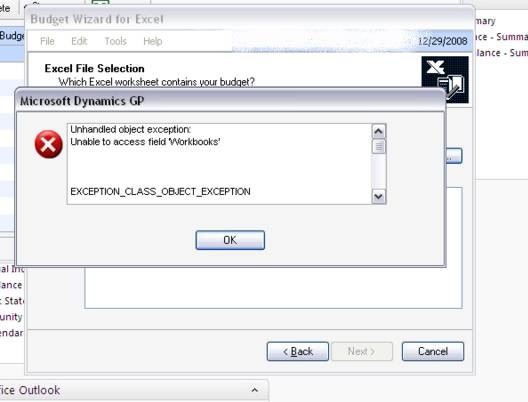
While trying to import a budget from Excel in GP 10 we got this error -
Unhandled Object Exception
Unable to access field ‘Workbooks’
Exception Class Object Exception
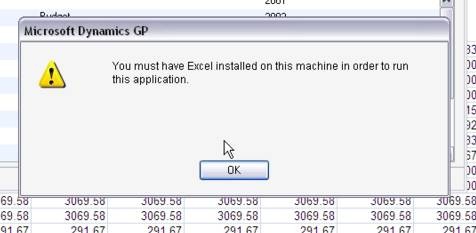
Followed by the message –
You must have excel installed on this machine in order to run this application.
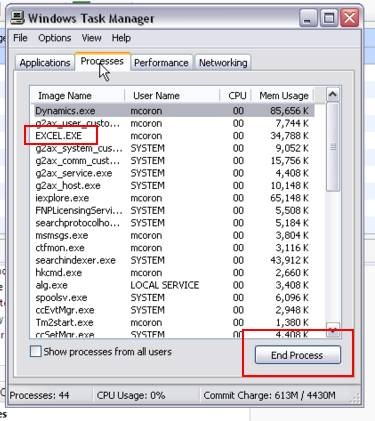
Excel was definitely installed. The excel sheet was closed. I looked around in newsgroups and knowledgebase but did not find anything useful. Our in house GP expert Rubal told me to look into the task manager to check if there was an instance of Excel in there. Sure it was. I ended that instance and the error went away.
Surprisingly I have seen this error twice in two weeks with two different customers, so I thought of putting it out here in case one of you found it useful.
The original Error
Followed by the message - You must have excel installed on this machine in order to run this application.
End the Extra Excel Process in Task Manager



5 comments:
Thank you for this. It was driving me crazy trying to create a new budget.
Thank You!!!
It's odd but I am now getting this error when a user is trying to traverse the Navigation Pane. GP 10.0. They can use the top menu without issue but if they click on the navigation pane, it immediately errors out and doesn't change from the home page.
Ideas?
Oh my god, this was a stagnant problem for like 6 months for me. I visited the user, finally, and IT WORKED when he showed me. Then a day later, it did the same thing. Thanks for the fix!!
Thanks so much! Just had the same happen to me, however I didn't get the message about Excel needing to be loaded.
Post a Comment